
The Jefferson Parish Court Calendar
For a 24th Judicial District Court civil setting, the sharpest online tool is the Clerk's JeffNet Civil Docket Date screen. It is built around a division and a date. Jefferson Parish treats the 24th JDC as its general-jurisdiction trial court. First Parish Court takes one route. Second Parish Court, the city courts, and the federal courts take others. So any Jefferson Parish court calendar check starts by routing to the right court. It does not start with one broad name search.
A calendar line can help you find a hearing. It is not the case record. It does not show the full civil or criminal activity, a minute entry, or the order underneath. A future setting can even sit on the calendar after an order changed it. That order may not appear in the same display. Keep your notice or case number nearby. When the calendar and the court's current communication disagree, the court communication wins.
Jefferson Court Calendar Divisions
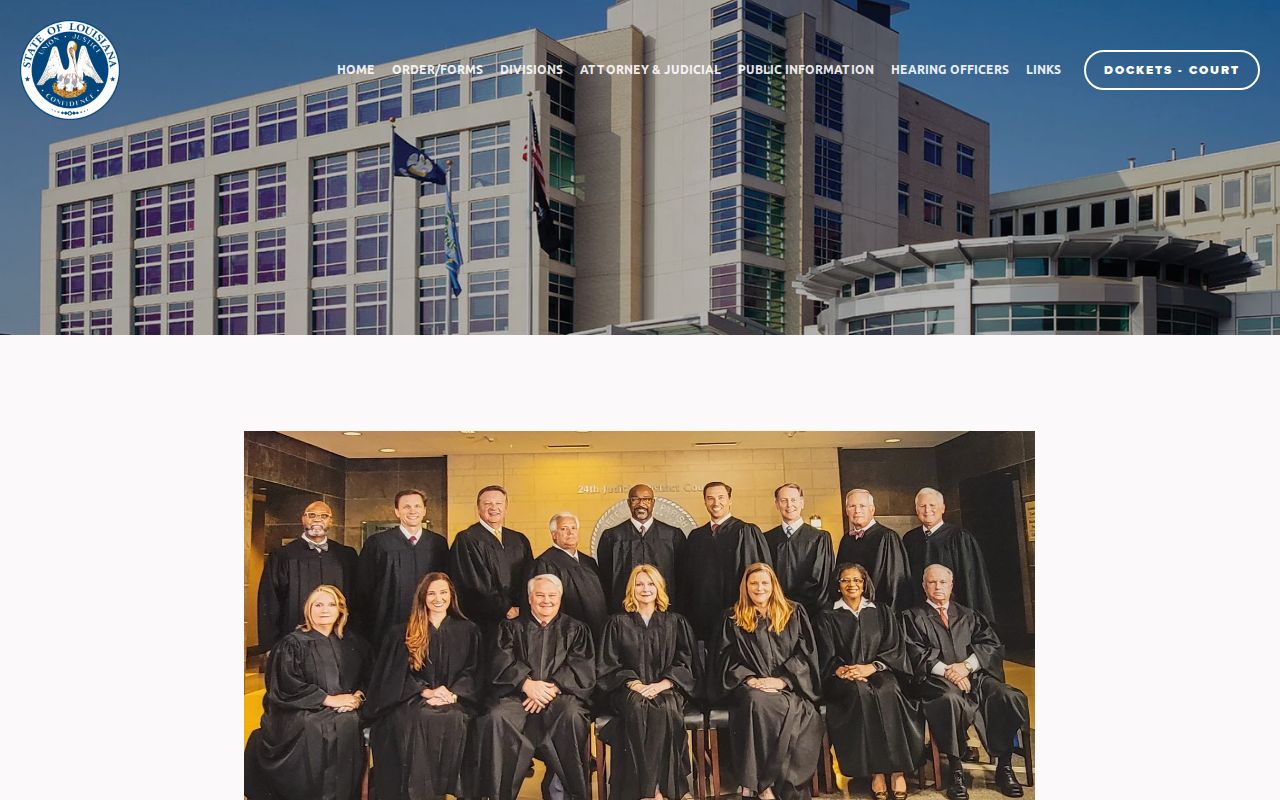
Jefferson Parish elects 16 divisions, A through P. The 24th JDC judges page lists them. A division is simply the judicial assignment the Jefferson calendar tools run on. It does not tell you the case type. One division does not handle every matter that looks alike. The division printed on a summons, notice, or earlier docket entry is your best starting point.
No division on your papers? The Jefferson Parish Clerk's central information desk, or the division clerk for a known case number, can route you. A last name by itself often is not enough to pin down the right Jefferson Parish setting.
How to Find Your Court Date
Let the notice tell you which court to search. The online calendar works well for a 24th JDC civil setting, but First and Second Parish Courts offer no matching public calendar grid, and the municipal calendars stay local, so Jefferson Parish spreads access across several channels. The statewide portal can surface eligible case activity. It still will not replace the Jefferson division calendar for a court date.
- Check the JeffNet Civil Docket Date interface with the Jefferson date and division shown on the court notice.
- Use the eClerks LA statewide portal to confirm an eligible Jefferson Parish case number or minute detail when the calendar route does not identify the case.
- Call the Jefferson Parish Clerk, a 24th JDC minute clerk, or the division office for court-date and docket information when the online result is unclear.
- Ask the Jefferson Parish civil records area or central information area for a public workstation and JeffNet access to inspect an available docket in person.
- For First Parish Court or Second Parish Court, use the appropriate parish court office and confirm the East Bank or West Bank and Grand Isle route.
- For a city citation, contact the Mayor's Court or municipal office named on it. A Jefferson Parish city calendar is not automatically included in JeffNet or eClerks.
- Keep any attorney informed and use the notice, clerk confirmation, or court communication to verify the current setting before appearing.
Note: A Jefferson Parish court calendar is only a scheduling tool. When a hearing date is time-sensitive, get a current confirmation from the clerk.
Jefferson Civil Court Calendar Fields
The official JeffNet civil screen beats a single open search box for narrowing a Jefferson Parish calendar. Its fields tie a civil docket date to a Jefferson division. They also give you ways to trim the list. Feed it only what your case papers already show. One caution: the self-represented field is an interface category, nothing more. It says nothing about a person's legal standing beyond that screen.
| JeffNet field | Input or result | Use in a Jefferson calendar check |
|---|---|---|
| Civil Docket Date | Date | Retrieves the Jefferson civil list for a selected date. |
| Division | Selection | Narrows the Jefferson calendar to the assigned judicial division. |
| Case or Hearing | Search field | Helps distinguish a known Jefferson setting from similarly named matters. |
| Attorney Bar or Self Rep | Search field | Uses the portal's displayed attorney or self-represented categories. |
| Name or Email | Search field | May help refine a Jefferson result, subject to spelling and access limits. |
The official Civil Docket Date page shows the date and division context behind Jefferson Parish searches.
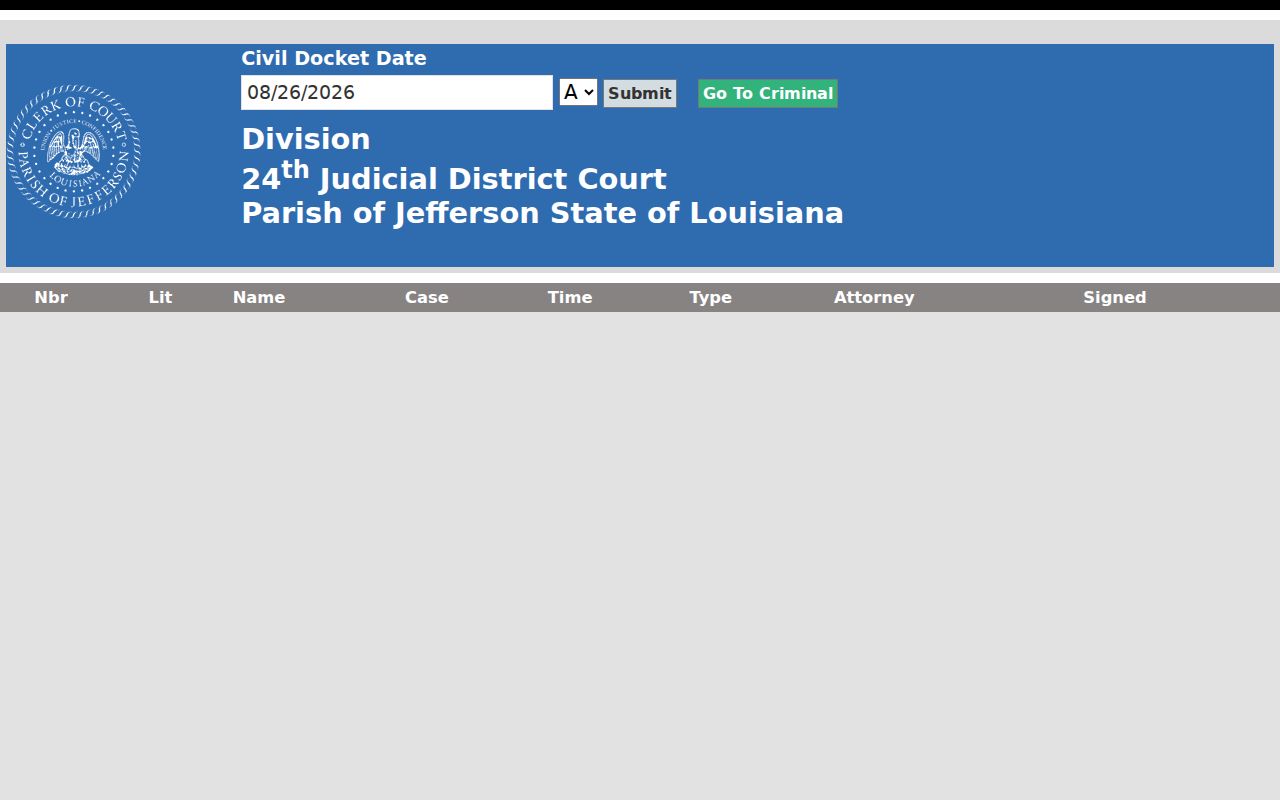
These fields get you to a Jefferson calendar list. They do not prove a hearing is final, completed, or disposed.
Reading a Court Setting
Read a Jefferson Parish setting as a short scheduling record. It is nothing more. The Civil Docket display can show a number, a litigation or name display, the case, a time, the type, an attorney, and a signed indicator. The division kiosk adds the Jefferson date, division, and judge. A courtroom or room number is not among the documented kiosk columns. Confirm that detail with the division or the clerk. Do not guess it from a calendar line.
| Date | The Jefferson calendar date used to retrieve the docket list, not necessarily the filing date. |
|---|---|
| Time | The listed hearing or setting time. Confirm whether the court requires an earlier appearance or docket call. |
| Division or Judge | The 24th JDC assignment shown by the Jefferson calendar interface or kiosk. |
| Case and Title | The case identifier and caption-style display used to distinguish the Jefferson matter. |
| Type | The portal category for the setting. It can be abbreviated or administrative. |
| Signed | A displayed indicator that requires the underlying filing or clerk to explain its legal effect. |
A Jefferson hearing might be a status conference, another scheduled event, or a date the court later moved. It is not a complete case history.
Jefferson Court Calendar Kiosk Results
The official Division Kiosk gives Jefferson Parish a compact calendar display. It shows date, division, and judge. The columns are TIME, CASE, TITLE, and TYPE. That layout suits a quick check of the day list in the right Jefferson division. It will not give you every pleading. It skips every minute detail too. And it draws no conclusion about how a case ends.
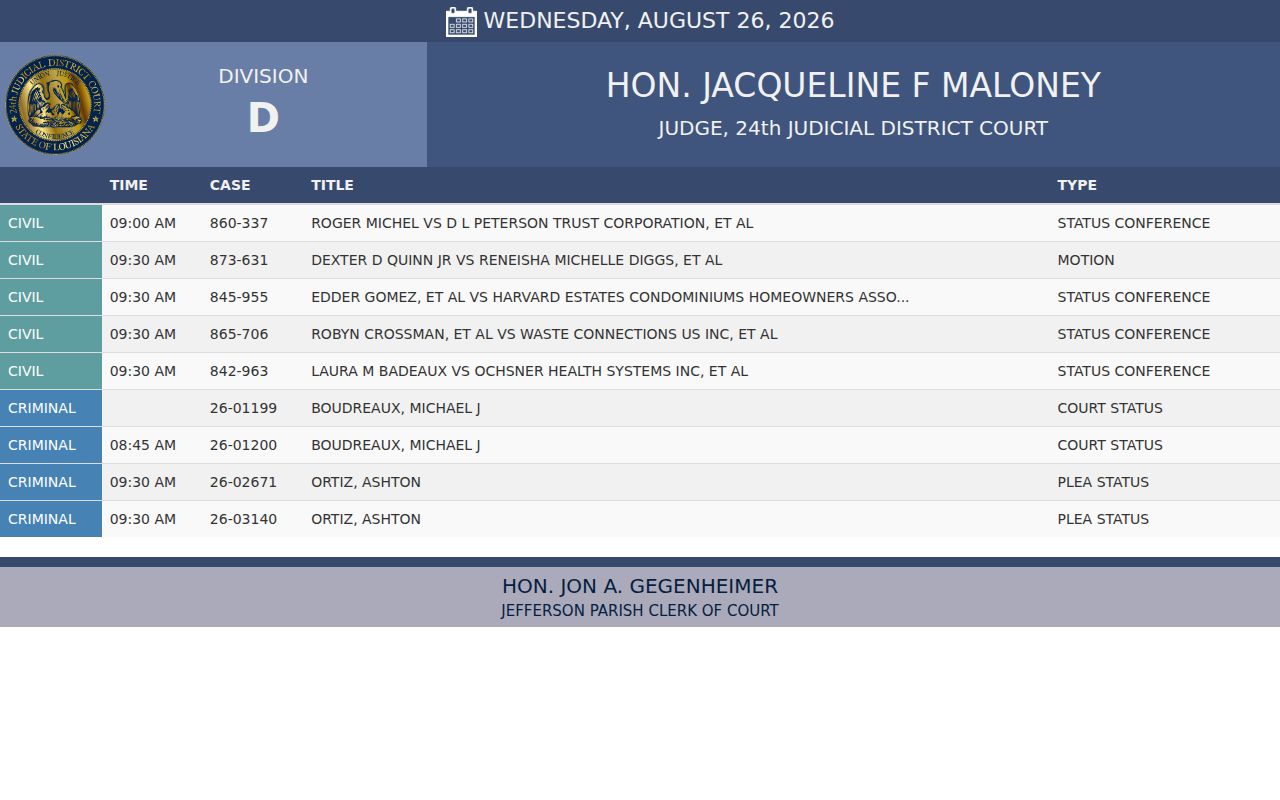
Need deeper Jefferson case activity? Turn to the Clerk's record route, or the statewide minute-detail search when it covers the matter. Calendar data and the case record are related, but they sit on separate layers of information.
Resets, Continuances, and Cancellations
Jefferson Parish hearings move around. A setting can be continued, reset, or taken off the calendar entirely, so an older notice may no longer match what the court has scheduled. "Continued" means the event was postponed. "Reset" means a new date was set. Neither word tells you the Jefferson case is finished or that the judge ruled on anything.
Before you count on a date, pull the freshest Jefferson Parish calendar you can. If a hearing is days away, confirm with the division or the minute clerk. Do the same if notice and display disagree. A dated minute entry usually describes something that already happened; an order or the underlying case activity carries the formal weight. The Jefferson Parish case search can pin down the right local case number first. That makes the clerk's confirmation quicker.
Note: Treat a Jefferson Parish calendar entry as current scheduling information only after the court or clerk responsible for it confirms the setting.
Jefferson Court Calendar Check-In Limits
The JeffNet Remote Docket Checkin tool is built for one job. That job is not searching. You get a Division selector, a Submit button, and a Name Search. The search returns columns for number, name, case, time, CheckedIn, and Checkin. The page also mentions a Louisiana Wallet remote-verification code. Checking in for a Jefferson hearing is the point here. It is not for reviewing a full case file or learning how a hearing ended.
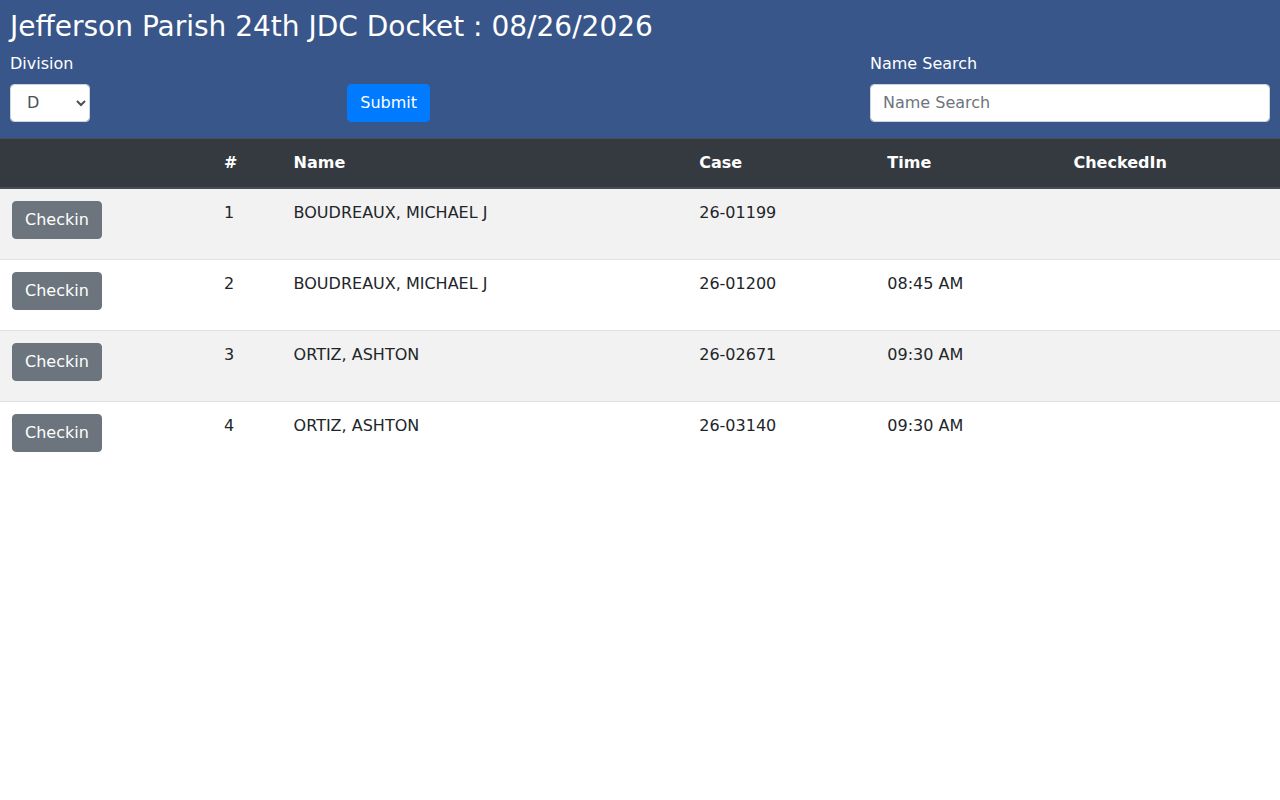
A "CheckedIn" flag answers one narrow question: did remote check-in happen? It says nothing else. Payment, dismissal, a hearing on the merits, or any final resolution of a Jefferson case is not proven by that status alone.
Jefferson Harahan Court Calendar Context
Harahan's calendar information is helpful context for the Jefferson Parish area, but it will not tell you where a case stands. The city's Courts and Boards page lists Regulatory Court sessions on the third Thursday of each month at 10:00 a.m. in the City Council chambers. That court covers property, permitting, and nuisance-type violations. A standing schedule like this names no case, no next setting, and no outcome.
If your notice came from Harahan, work through the Mayor's Court contact and whatever court or city office the notice itself names. A 24th JDC calendar result is a different animal from a municipal court record, so don't lean on one for the other.
What To Do If You Miss a Setting
Missed a Jefferson Parish setting? Reach the court or clerk right away. Have the case number ready, plus the court, the division if you know it, and the date you missed. A Jefferson Parish minute clerk handles court dates and docket questions, and the Clerk's records staff and public workstations can help you pull up a case record. Tell any lawyer on the case immediately, too. One thing not to assume: an old Jefferson calendar result does not mean the matter was rescheduled on its own.
Missed a Setting? A missed Jefferson Parish court date can have serious case-specific consequences, and a traffic promise-to-appear has separate consequences under Louisiana law.
Ask the responsible Jefferson court or clerk for the current status and next required action instead of using a calendar line as the only answer.
Consult a licensed attorney about a missed Jefferson Parish setting before taking action that could affect the case.